Since I had to make a build-and-release tutorial for our company's completely non-technical product managers, I'll just delete the product-specific parts and crank out a blog post. Yay!
Installing the Tools
Download the pre-packaged portable VSCode from the link below:
Once downloaded, extract it into any folder. Its contents look like this:
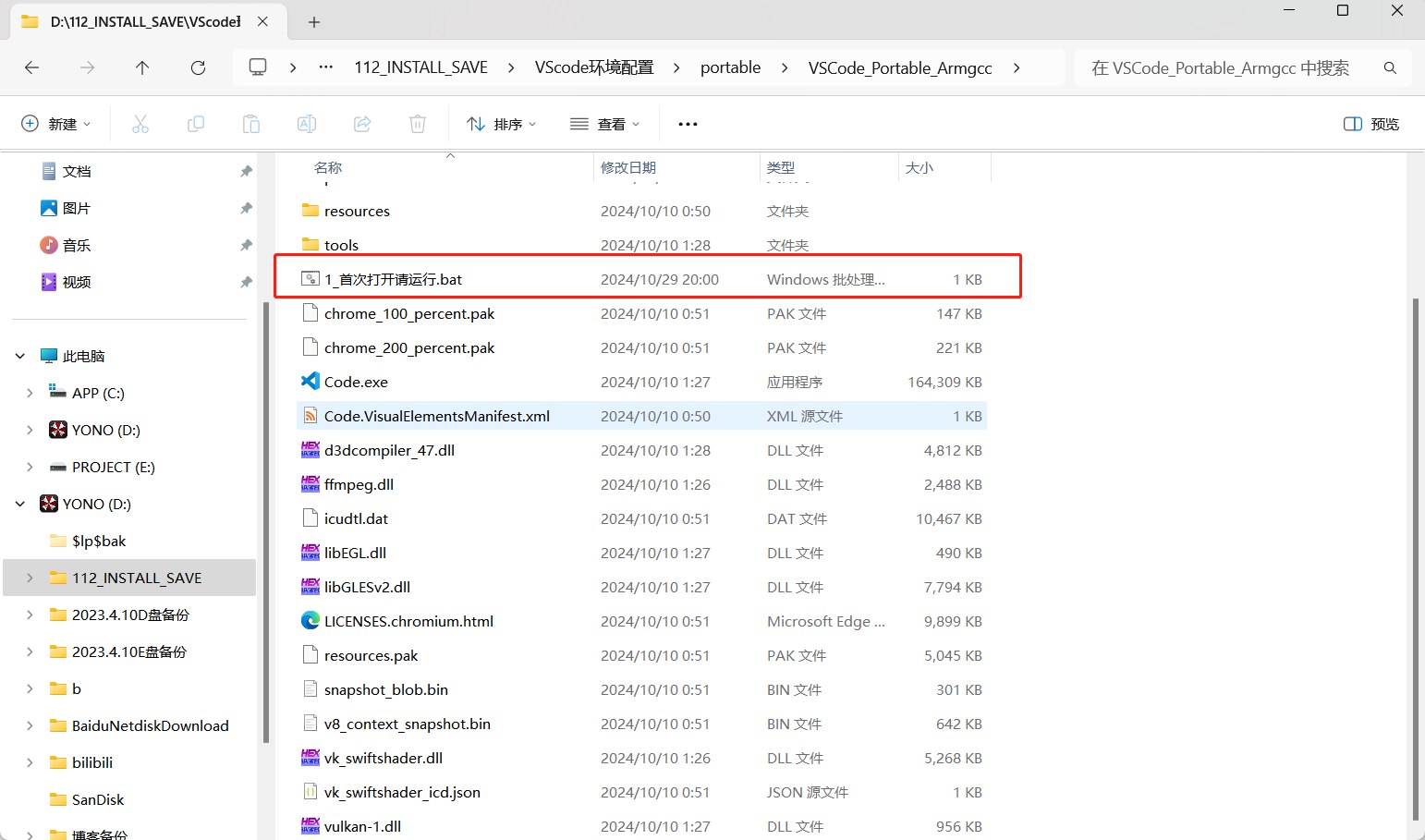
Run 1_首次打开请运行.bat inside it. You may see a permission prompt; just grant administrator rights. Rest assured, it's virus-free.
Note: don't move the extracted folder afterwards, because after the elevation step, all required toolchain paths are added to the system PATH. If you move the whole folder, run 1_首次打开请运行.bat again.
Upgrading — Even after I've packaged it, VSCode will of course receive many updates. Click the gear icon in the bottom-left corner to Check for Updates, download the updated archive, extract it, and replace the original folder entirely.
Opening a Project in VSCode
Click Code.exe to open VSCode. On the first launch, the plugins may not have finished loading and the interface may still be in English. Close it and reopen it once; the second launch should be fine.
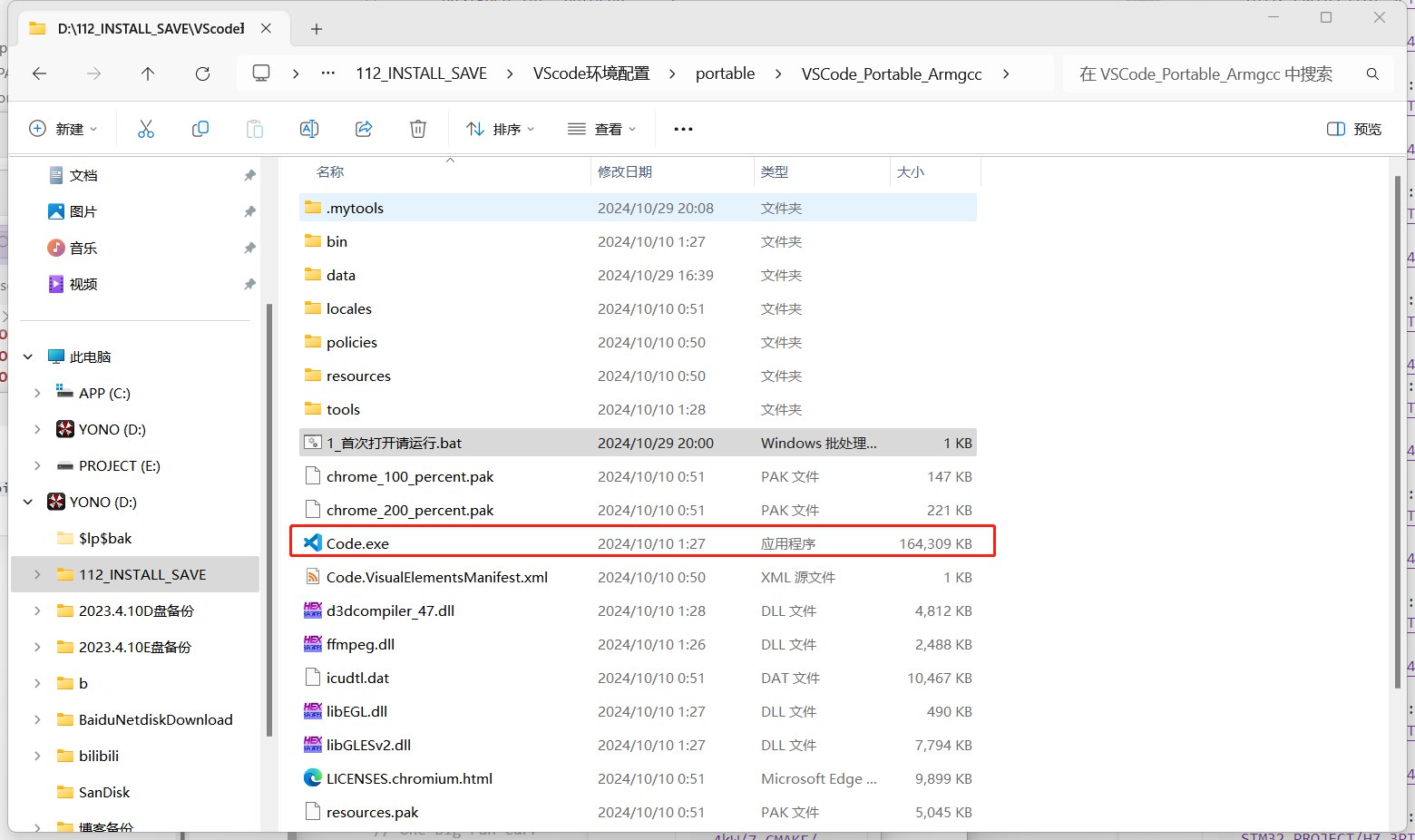
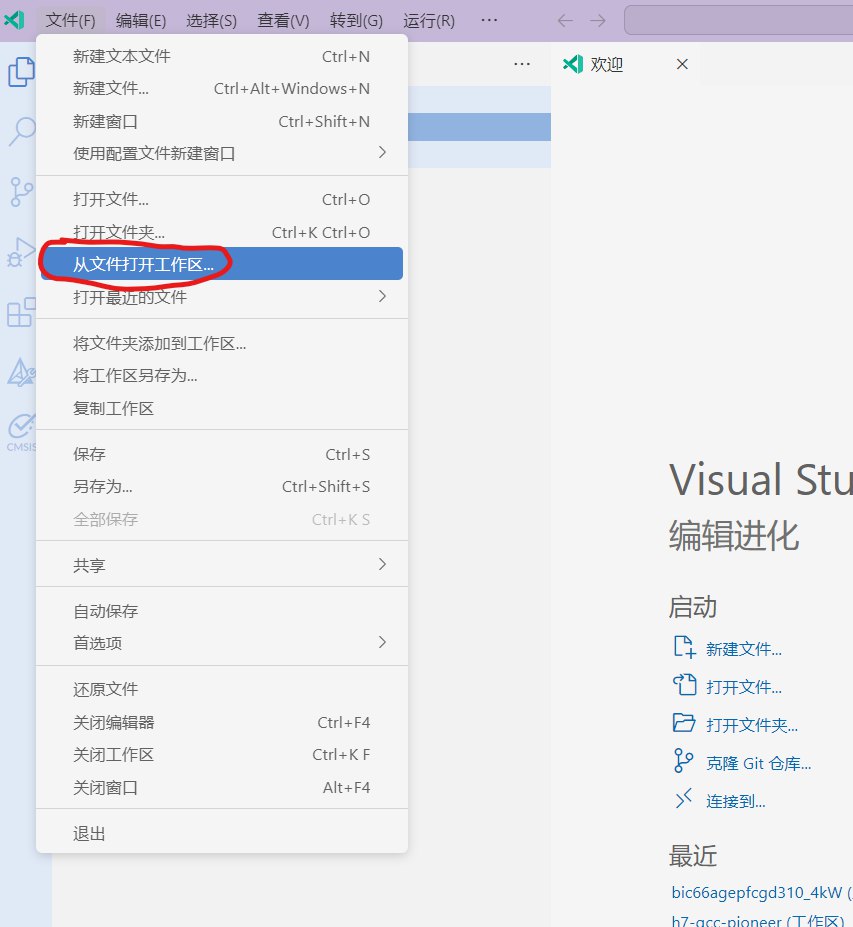
Once it opens, click File in the top-left corner, then click Open Workspace from File.
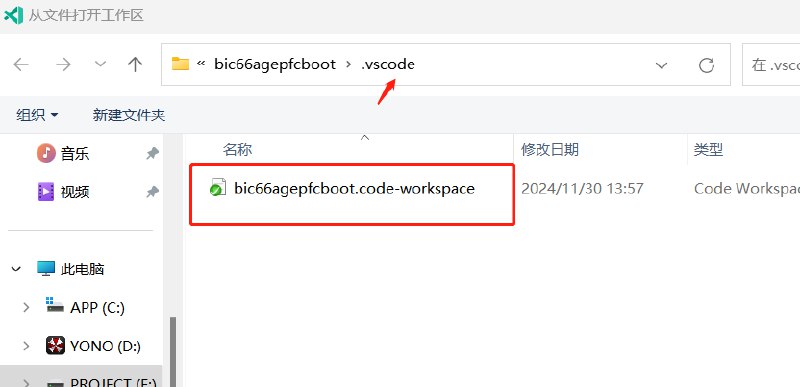
Find the project folder. Inside it is a .vscode folder containing a .workspace file. Select it and open it.
You may get a popup like this. Ignore it for now; we'll take care of all the configuration later.
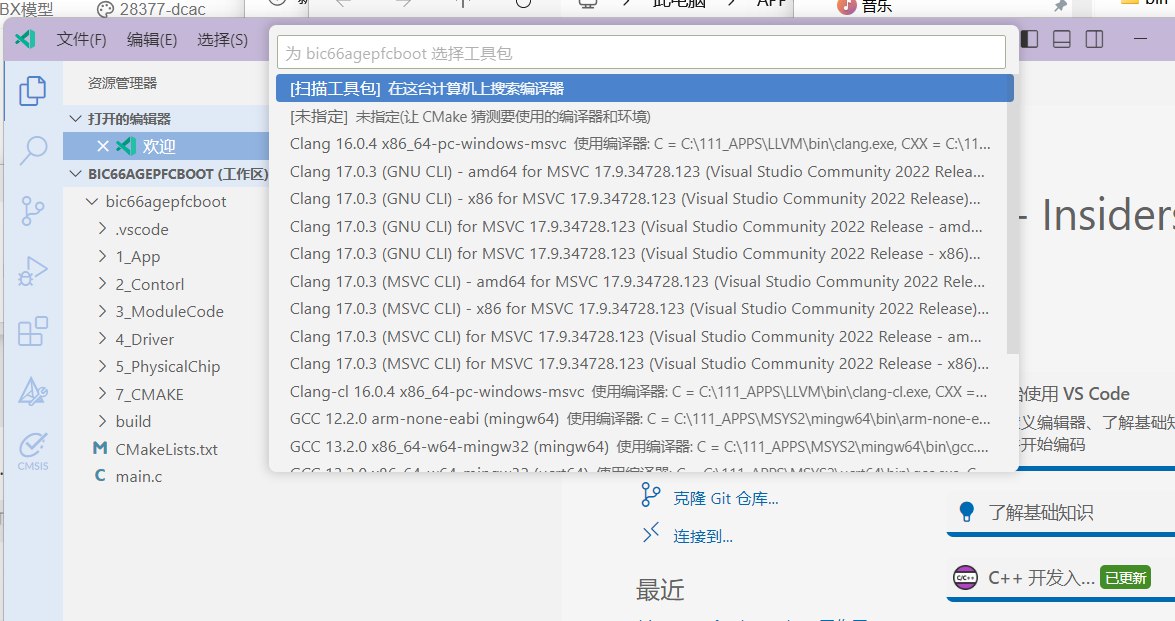
Configuring the Build
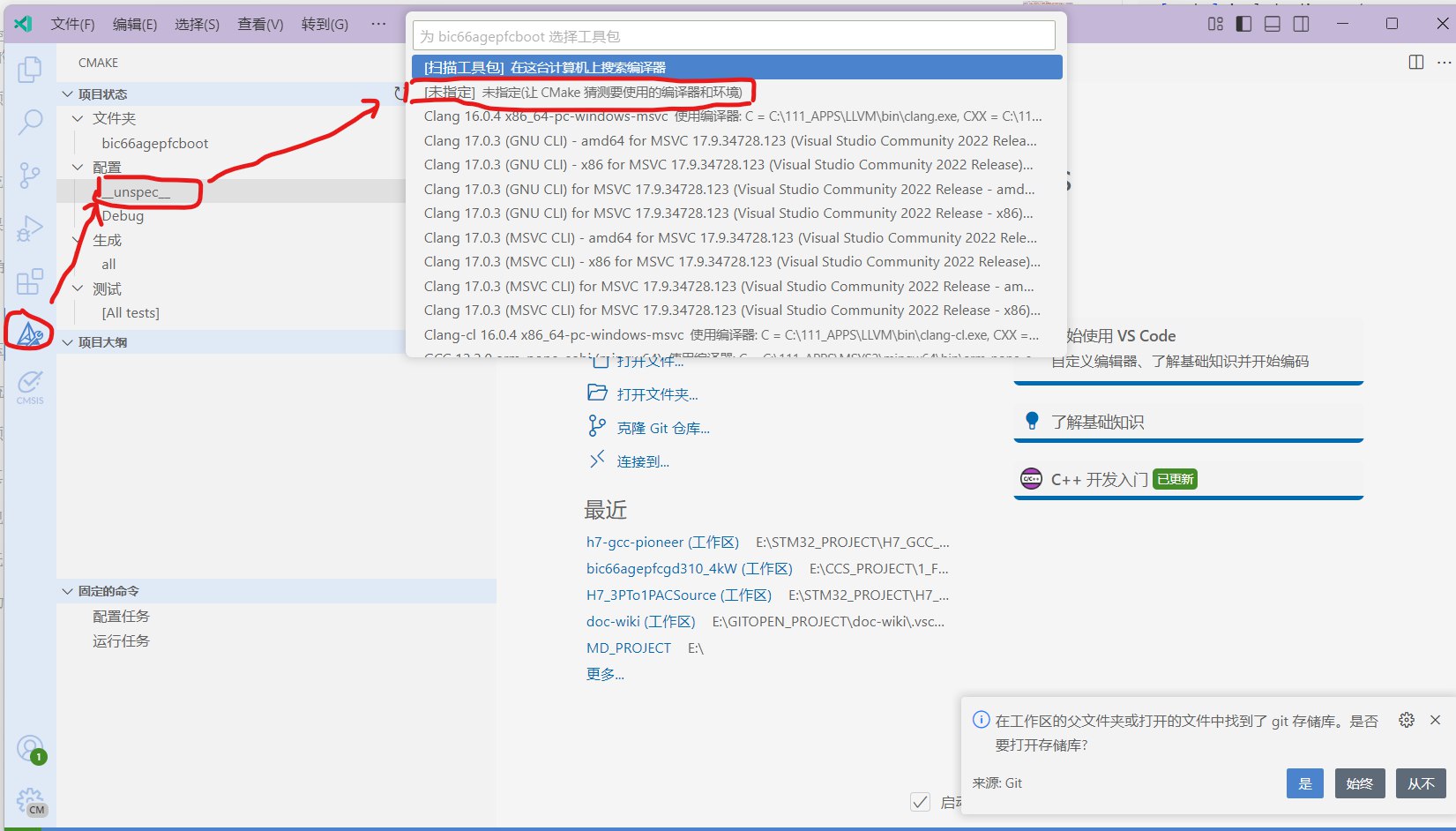
The sidebar should have a CMAKE tab like the one in the picture. Click to open it. Click the first item under Configuration; a popup like the one in the picture should appear. Select Unspecified as the toolchain kit.
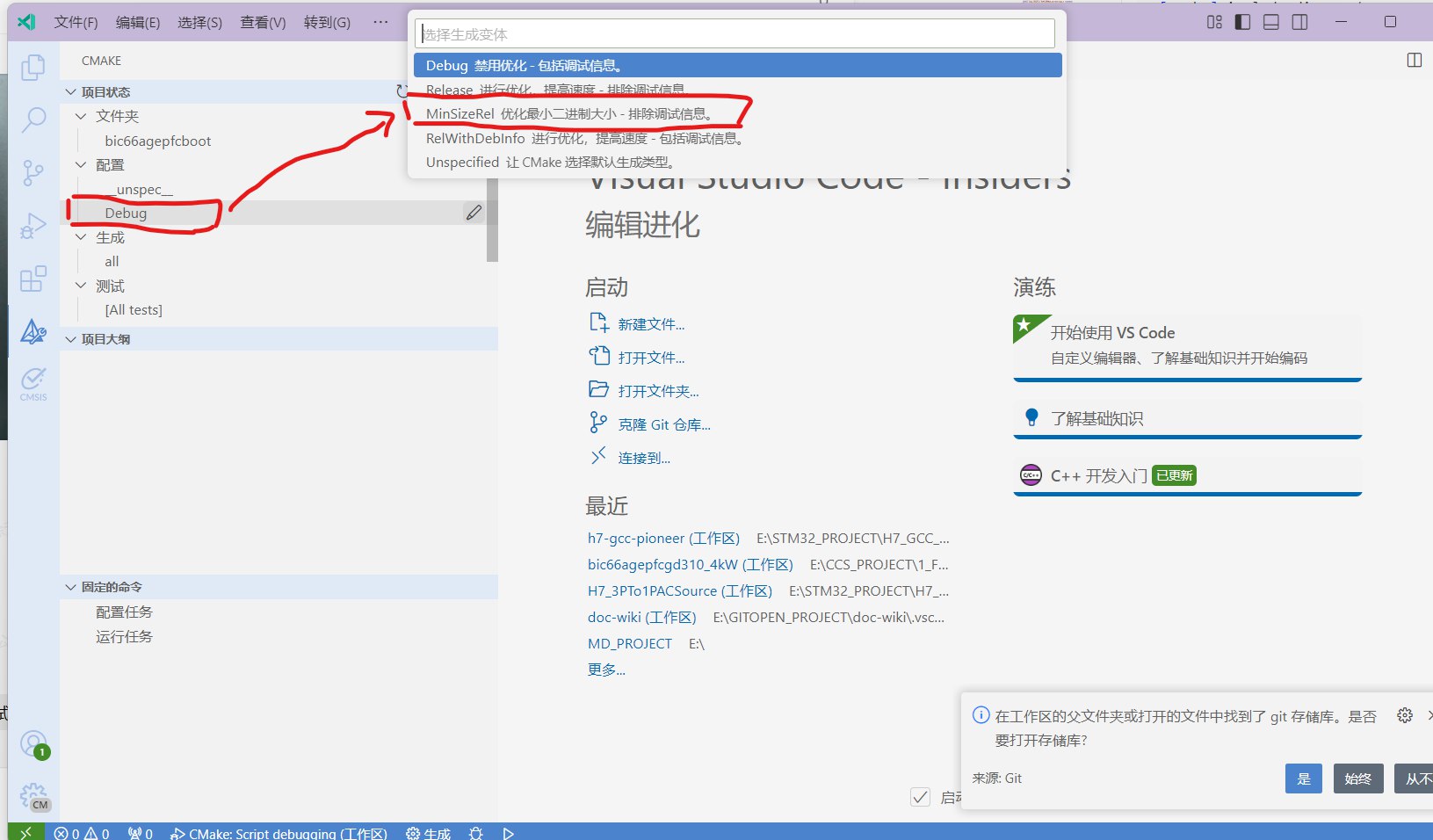
Click the second item under Configuration; a popup like the one in the picture should appear. Select MinSizeRel.
Click the gear icon in the bottom bar to compile and generate the artifacts.
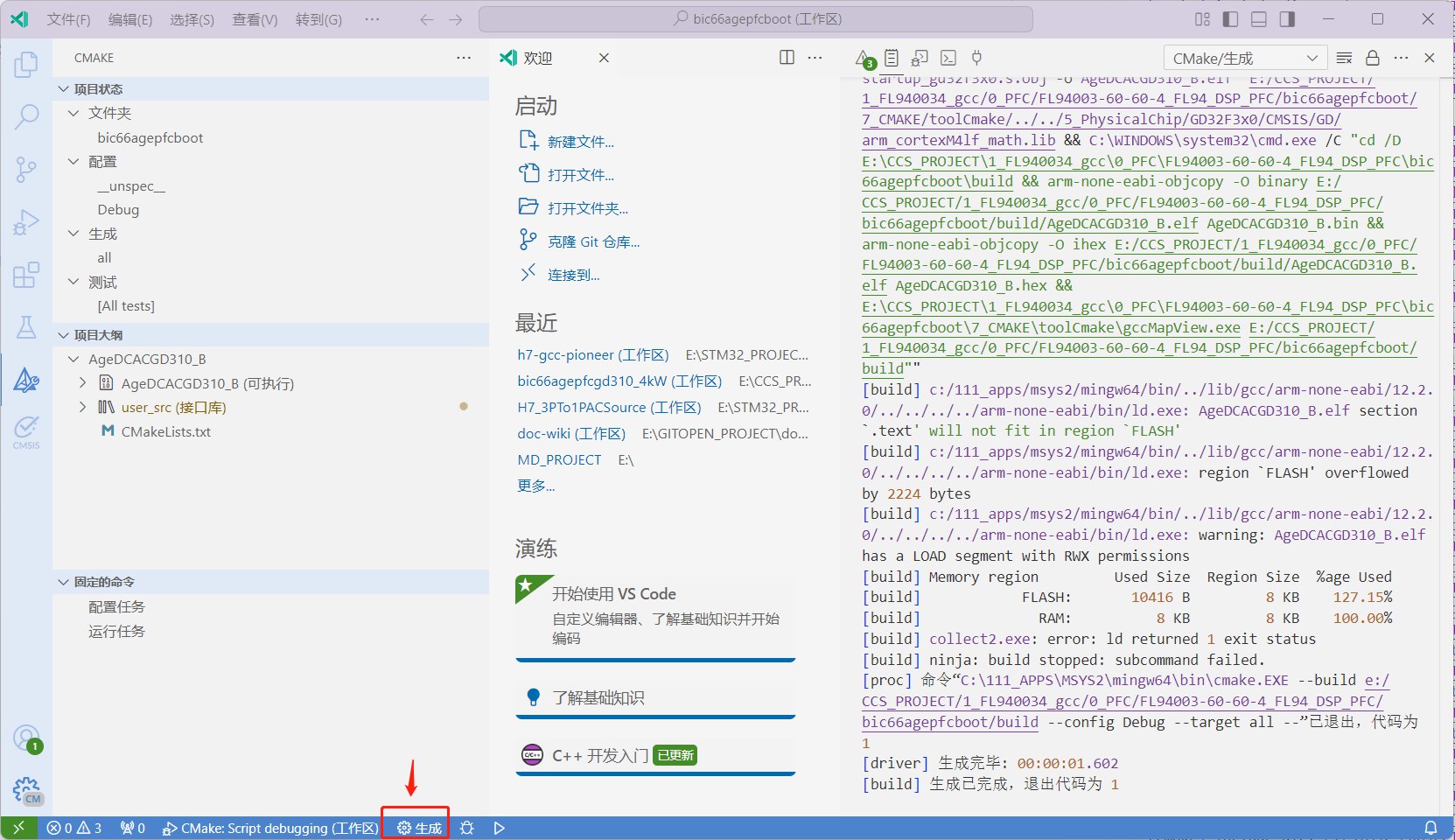
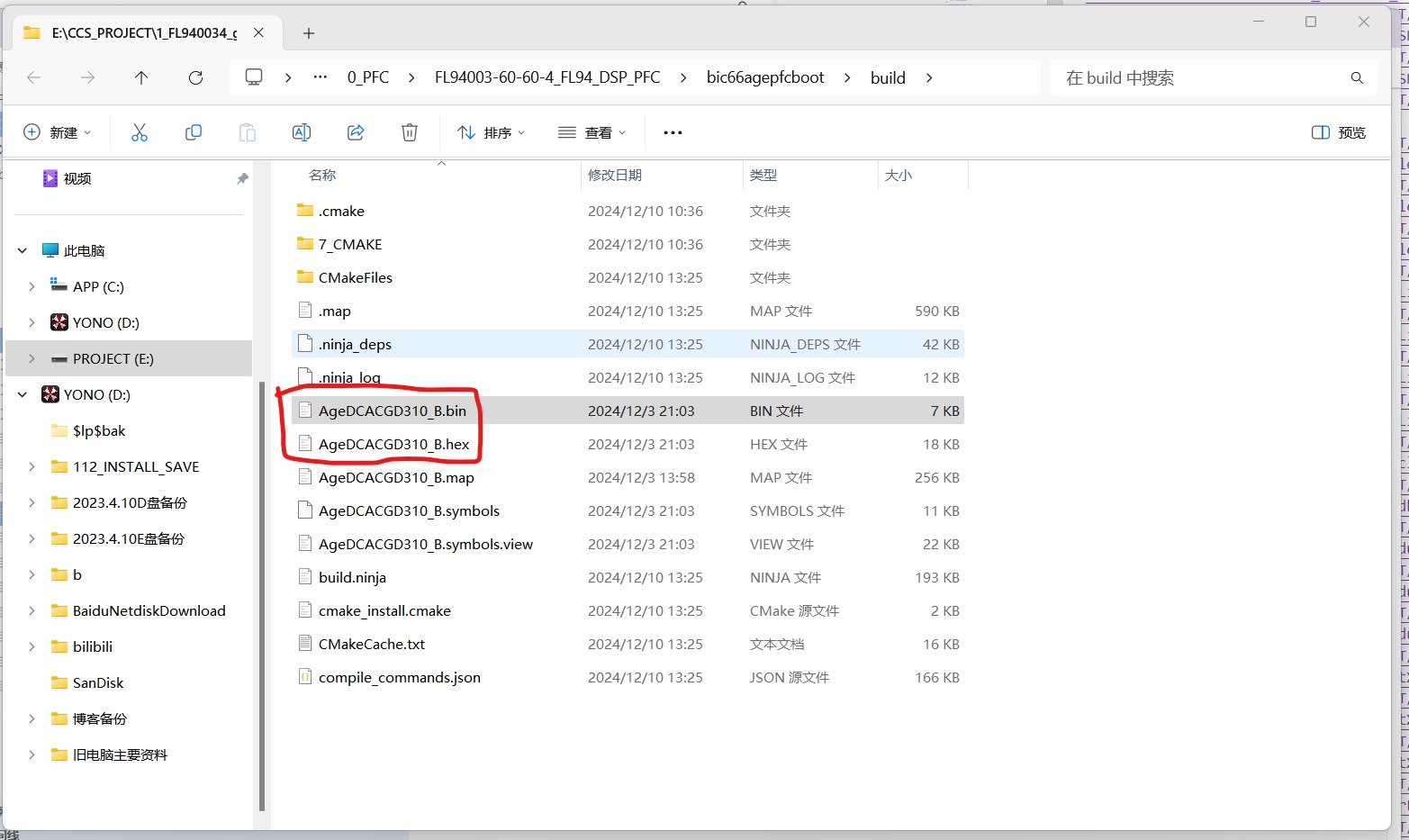
The artifacts are in the build folder in the project root. Two of them, one with a hex suffix and one with a bin suffix, are the ones you actually need.
Assembling the Release Files
Every product project should—and must—consist of two software projects. In other words, every product needs to be compiled in both software projects to generate the artifacts.
The first software project is the one whose name contains the keyword boot, bootload, or BL. This part is firmware and will not be modified once it ships. The second part doesn't contain these keywords and is the upgradable software.
So the idea is to combine them into a single hex file as the factory flash image, containing both parts mentioned above. At the same time, release a bin file containing only the upgradable software, for field upgrades of machines that have already shipped.