What is PSpice for TI
SPICE is a software analysis program for simulating circuits — the granddaddy of all circuit simulation theory and practice.
PSpice is a simulation modeling environment built on the SPICE core analysis program, developed by Cadence as a paid application.
PSpice for TI is a version that TI paid Cadence to license (probably), but it's completely free to use. For details, see PSPICE-FOR-TI Simulation Tool | Texas Instruments TI.com.cn. The interface looks like this.
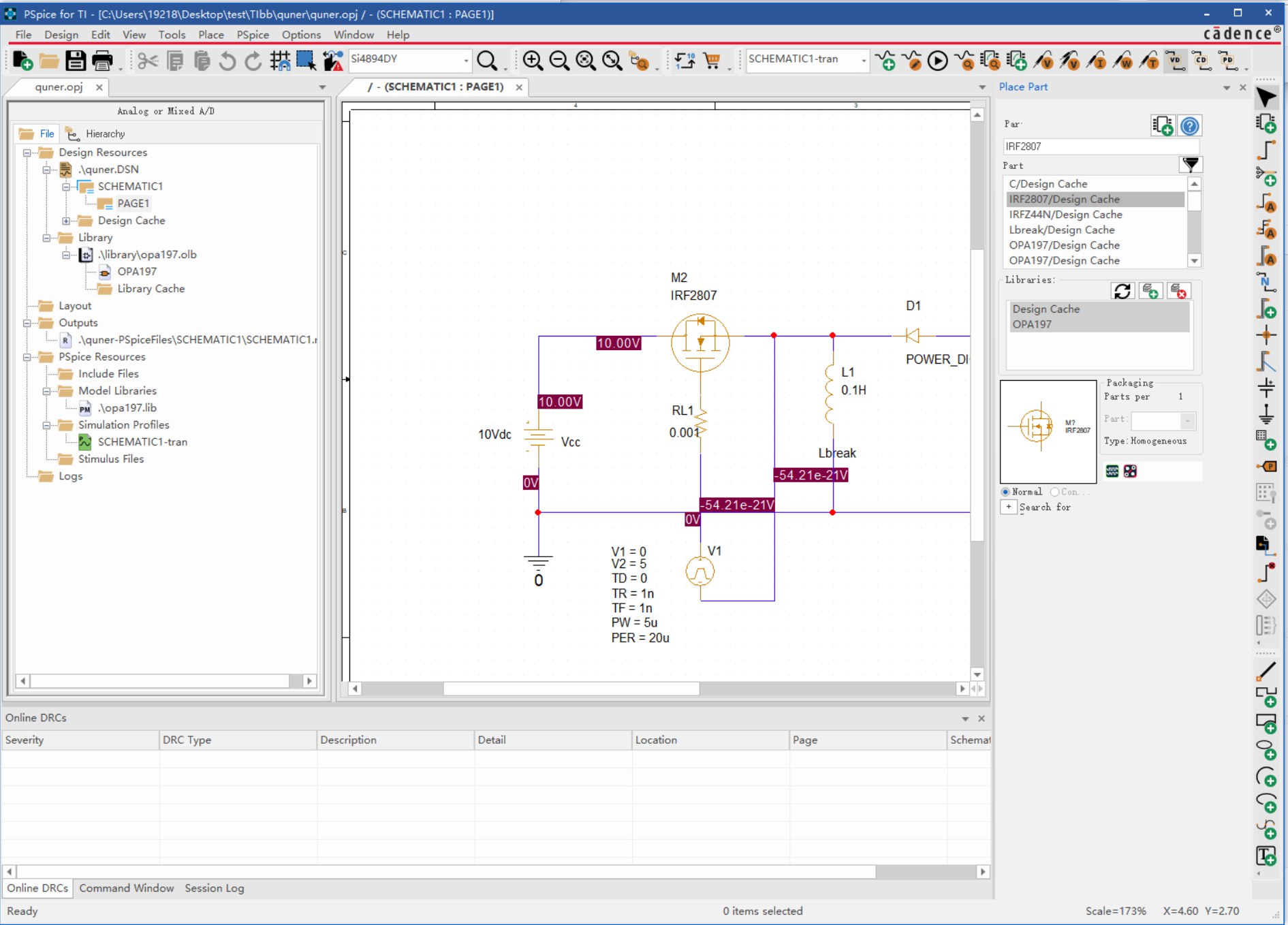
image-20250326142840495
There's a TI training course — PSpice for TI Demo - Design Tools and Simulation Online Training - Texas Instruments (TI) Official Video Course Training. There's another, more beginner-friendly TI course on Bilibili: Getting to Know PSPICE-FOR-TI Software_Bilibili. PS: The viewing experience on TI's training website is really bad.
Some Q&As I've Collected
After spending about an hour going through both training courses, you'll have basic operations and simulation down. But there are some small issues the courses don't mention.
1. Blank PSpice Part Search Window
You may encounter a blank parts window.
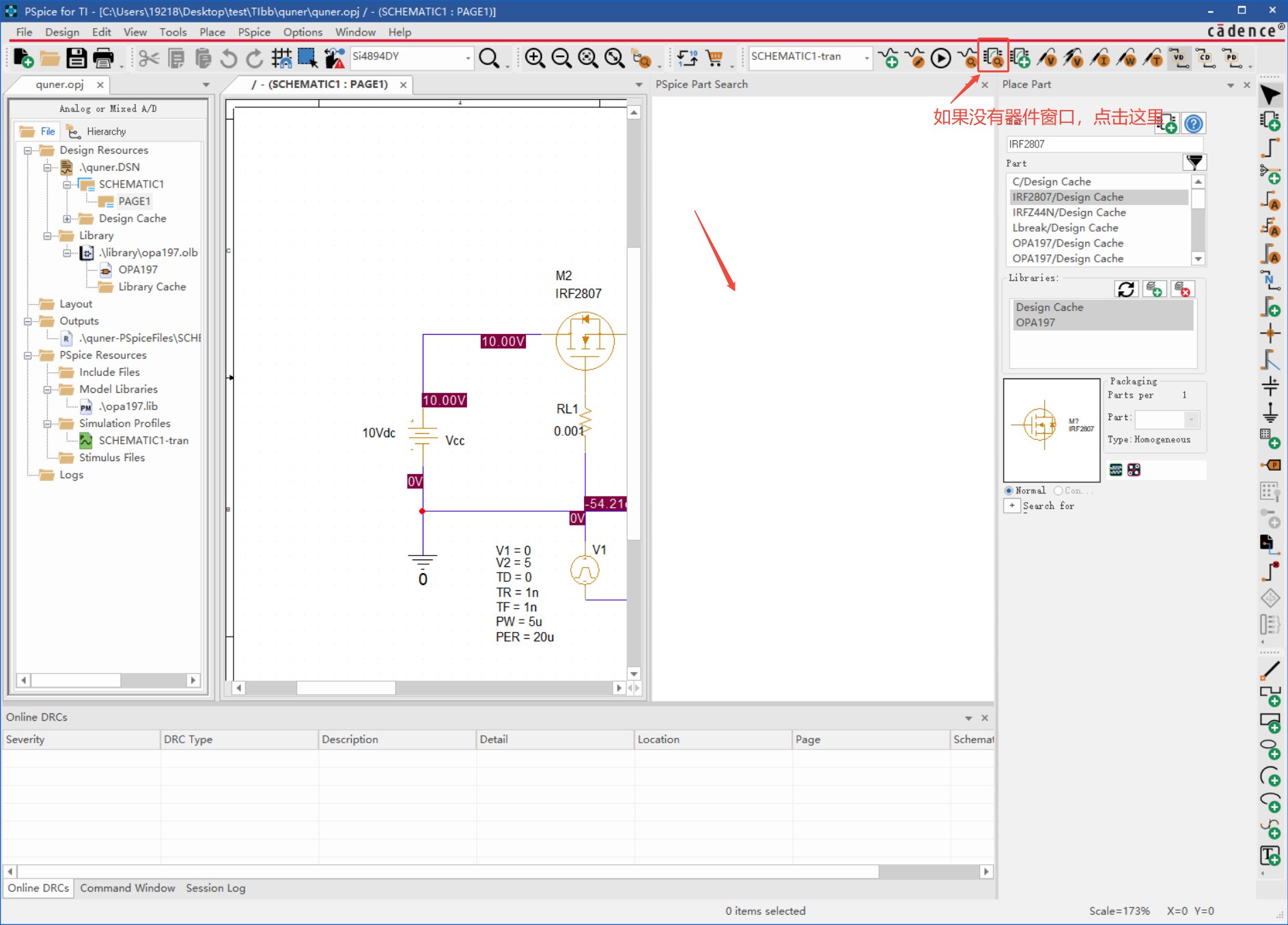
image-20250326151434942
Find the pspice.exe executable — it's in the installation root's \tools\bin directory. The default installation location is C:\Cadence\PSpiceTI.
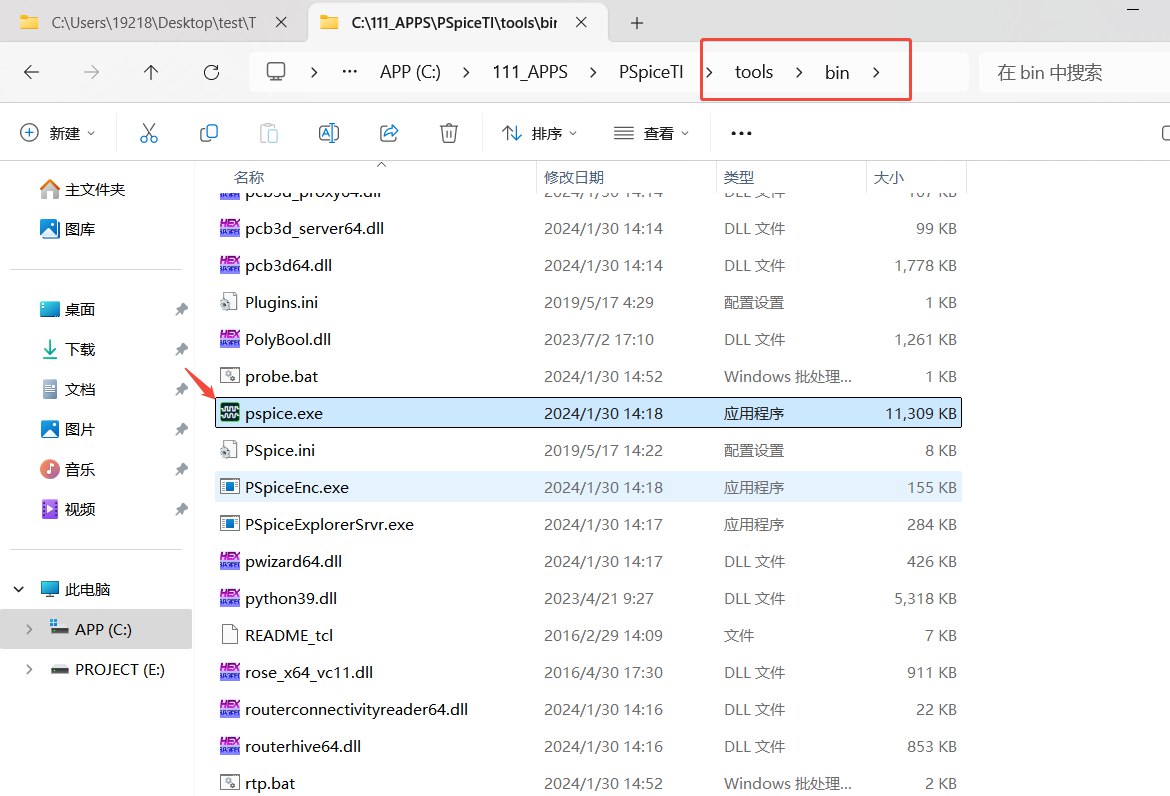
image-20250326145131944
Find the file named orCefSettings.ini in the same directory, right-click it and choose Edit with Notepad.
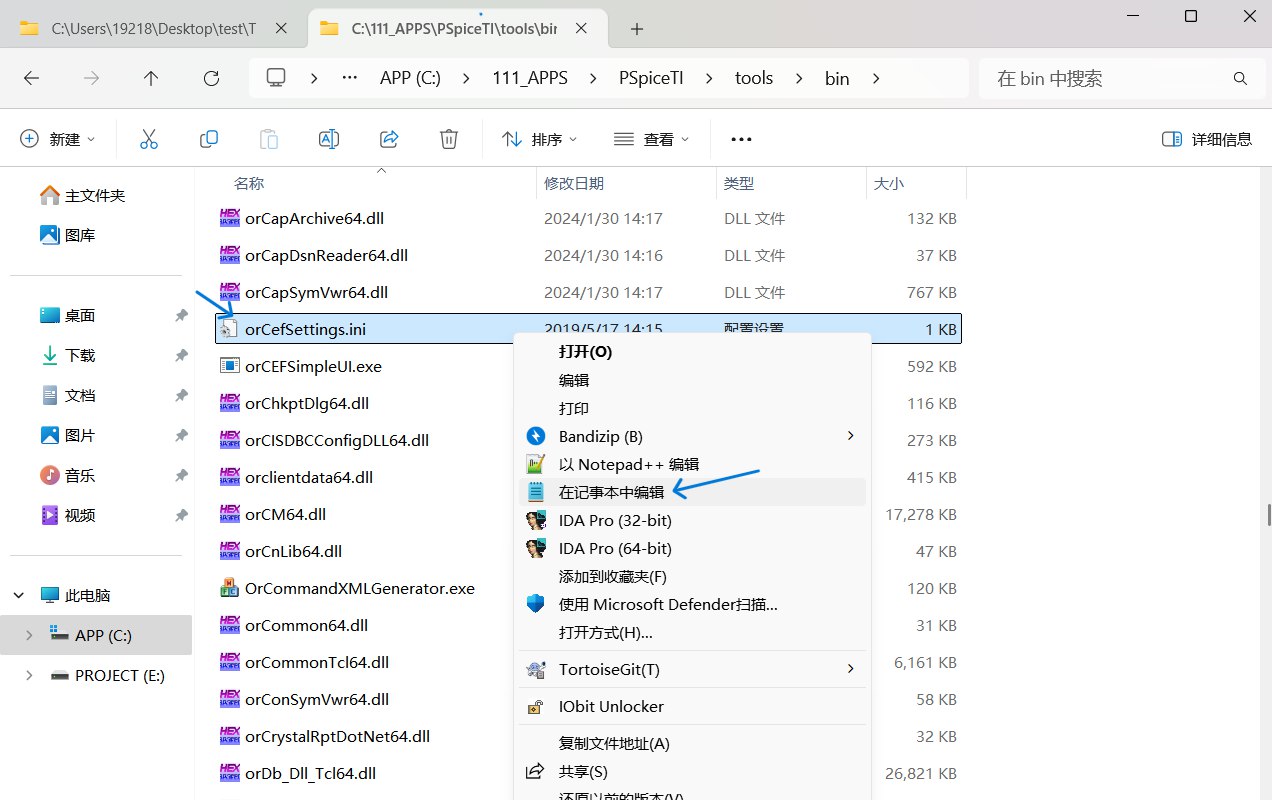
image-20250326150913164
Add lang=en-US at the end of the file, then save and exit.
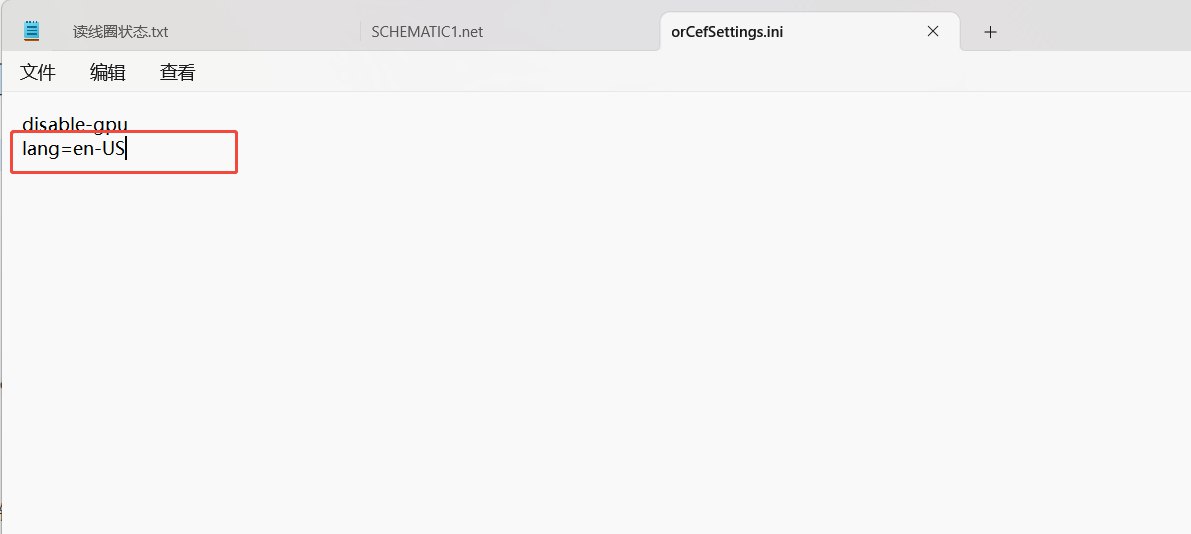
image-20250326151129422
Restart PSpice for TI and it'll be fine.
A small tip: the Place Part window lets you see the model shape and approximate parameters (default or configurable) directly. In the PSpice Part Search window, right-click a part and click “View Symbol” to see them.
2. Wire Names and Net Names
For a wire like this, there's a wire name N33243 shown below it — clearly auto-generated, and you can't rename it by double-clicking or right-clicking the wire.
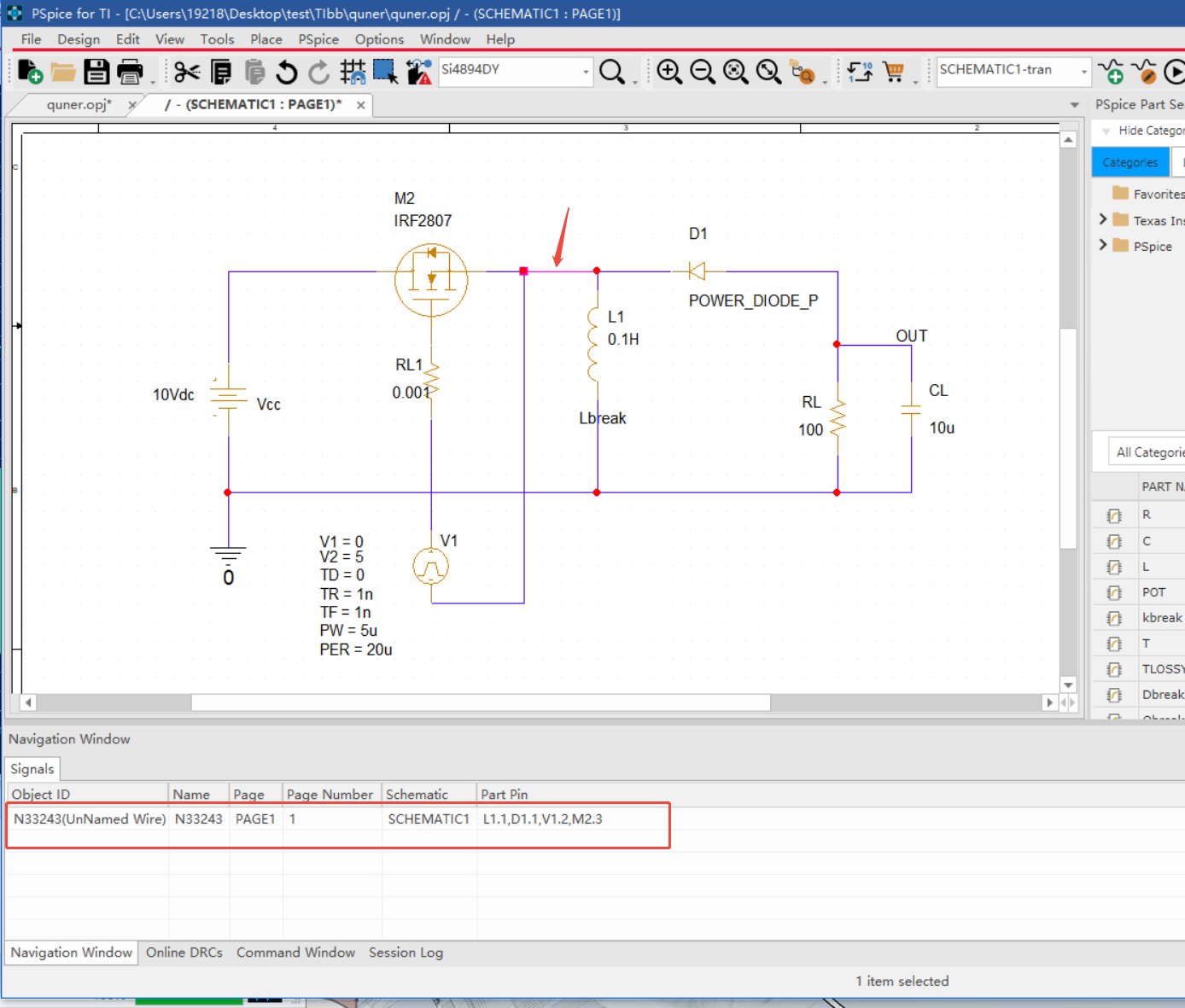
image-20250327090214426
The wire next to it, though, shows a name — OUT. Actually, that's not a wire name; it's a net name.
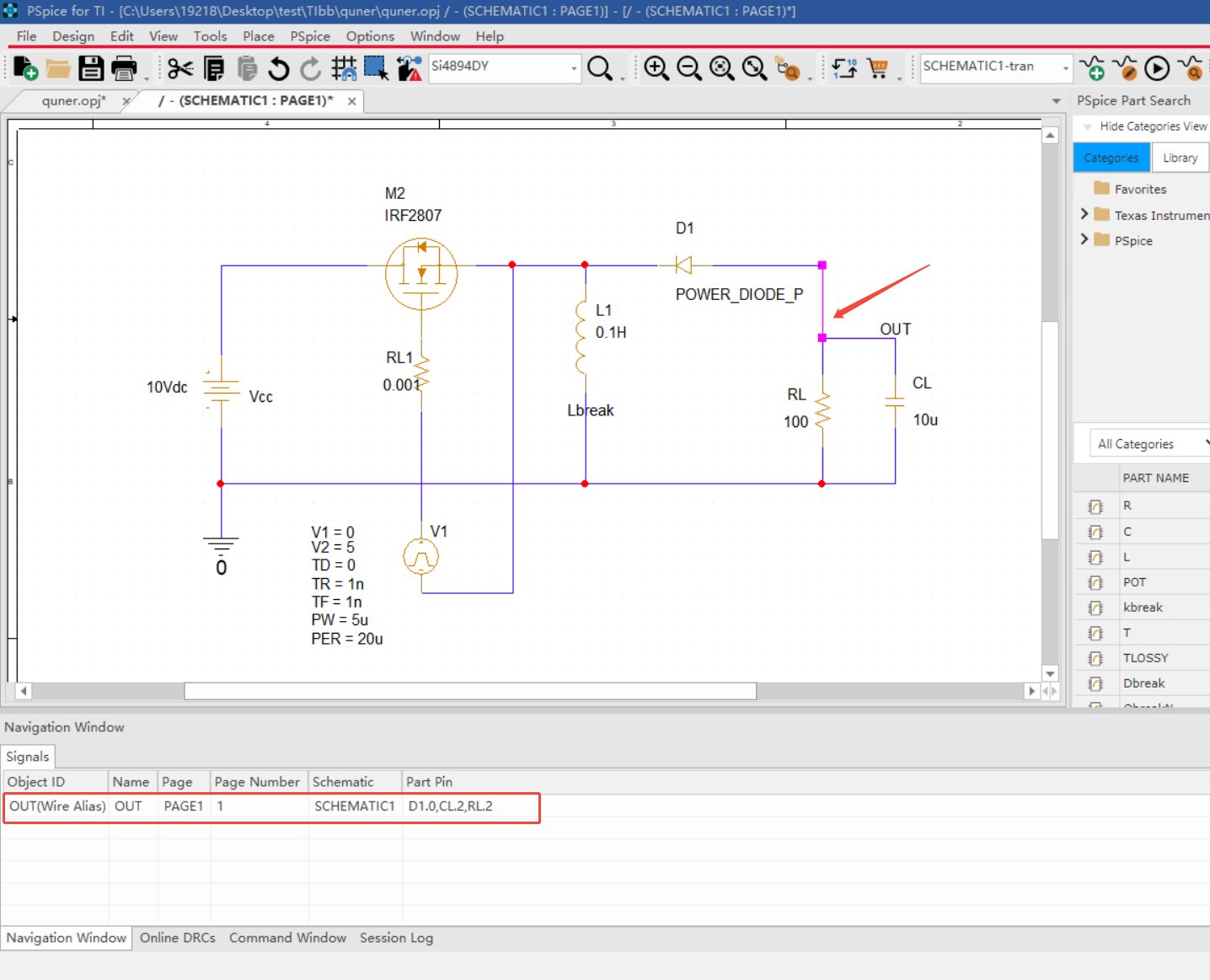
image-20250327090452077
Click Place -> Net Alias at the top, type any name you like, and place it on a wire. That wire and its corresponding net get renamed.
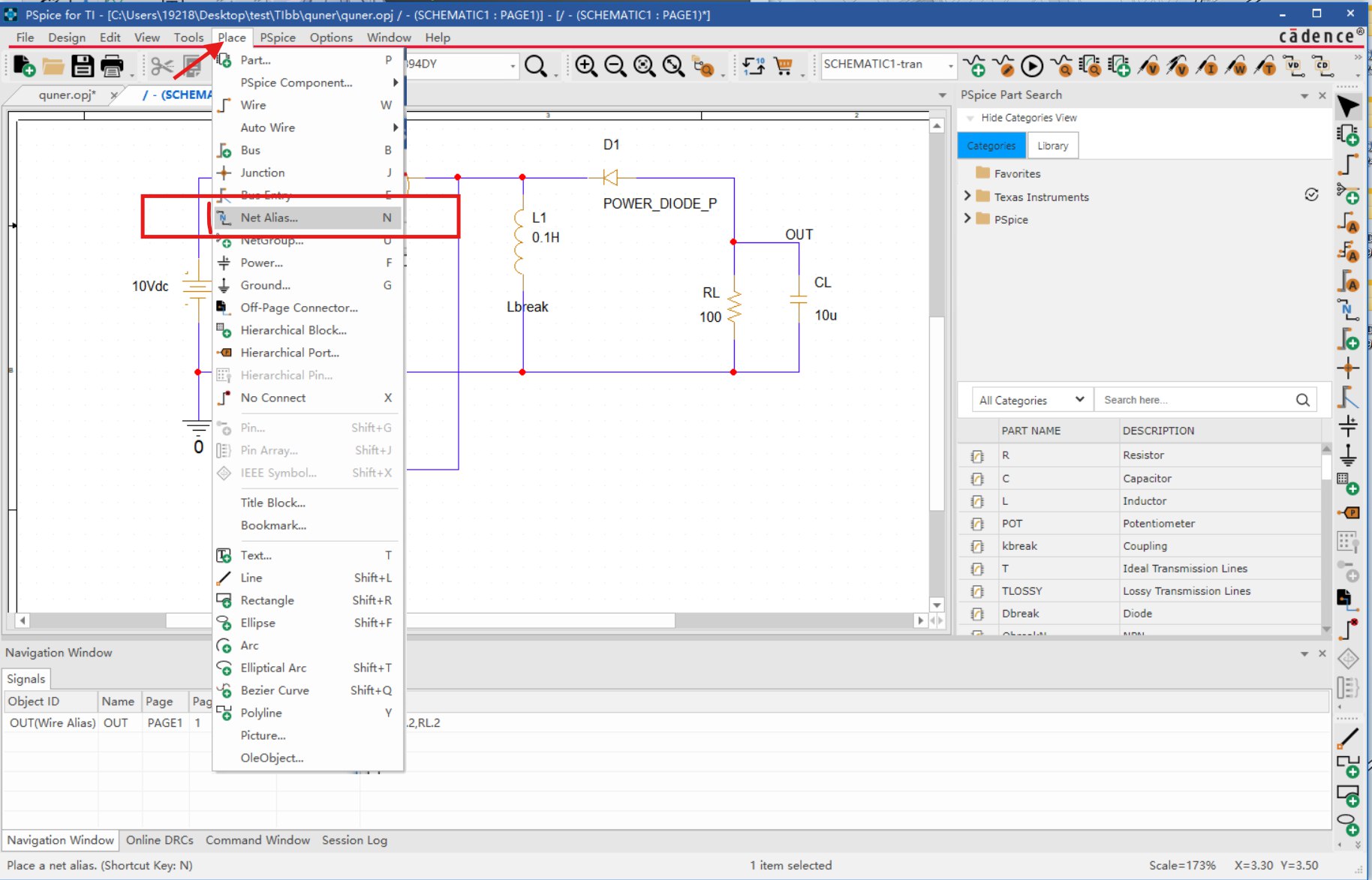
image-20250327090830886