Finally switched to automatic SSL certificate application and deployment — yay! I also got the file site onto HTTPS: Home | yono's files. The main reason was so the file site can preview videos and documents online; otherwise I wouldn't have bothered getting a certificate for it.
Installation
There are some really annoying Certbot installation guides online that have you install EPEL, snapd, and a bunch of other dependencies first. Skip all that flashy stuff — the Python version is the best.
Install it with the following command and you're done:
yum install certbot python3-certbot-nginx -y
Check the nginx configuration file.
nginx -t
At this point it should show something about /www/server/nginx/conf/, which is specific to BT Panel, because BT Panel's nginx isn't in the /etc directory. Remember this directory path; you'll need it later.
Run Certbot and Apply for an SSL Certificate
After installation, before applying for a certificate, it's recommended to restart the server and make a backup as well, to avoid losing important configuration.
Run Certbot with the following command, replacing the directory part with the path you noted above.
certbot --nginx --nginx-server-root=/www/server/nginx/conf/
The following images and text are lifted from Issuing and Auto-Deploying Certificates with Certbot (BT Panel) — Just Call Me Da Bai Bai
- Enter your email address
- Enter Y to agree to the terms
- Enter Y to agree to receive promotional emails, or N to decline
- Select the numbers of the sites you want to issue and deploy certificates for, separated by commas or spaces. Leave it blank to select all. In the image below, sites 17 and 18 are selected.
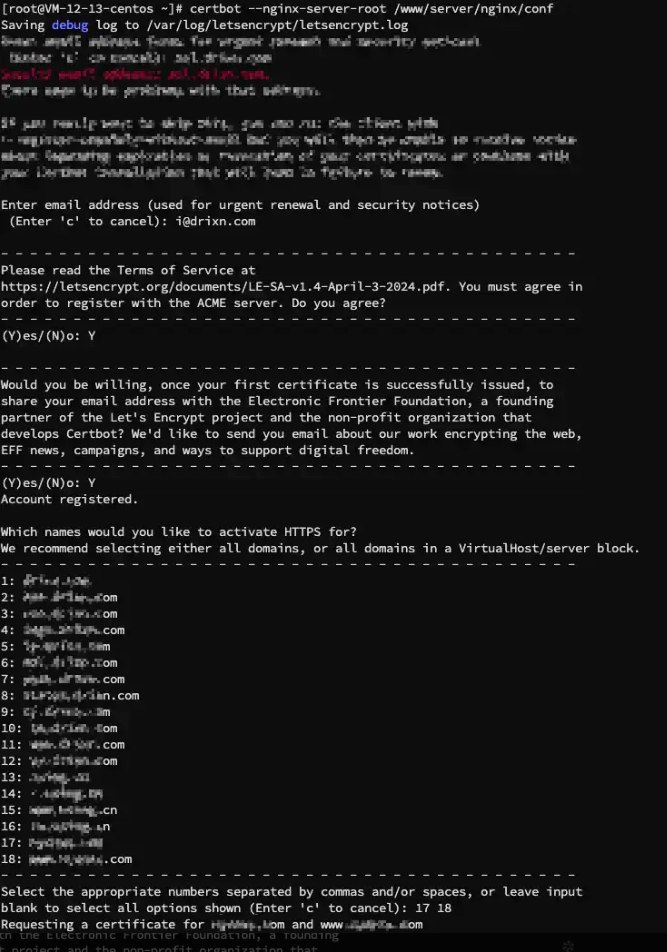
image-20250106152446357
Scheduled Automatic Renewal
In the Scheduled Tasks section on the left side of the panel, create a new task. The name and execution schedule are up to you; fill in the script content as follows.
certbot renew --nginx --nginx-server-root=/www/server/nginx/conf/ --post-hook "systemctl reload nginx" --quiet
Here, --non-interactive means non-interactive mode, suitable for script environments; --expand means automatically renewing all domains.
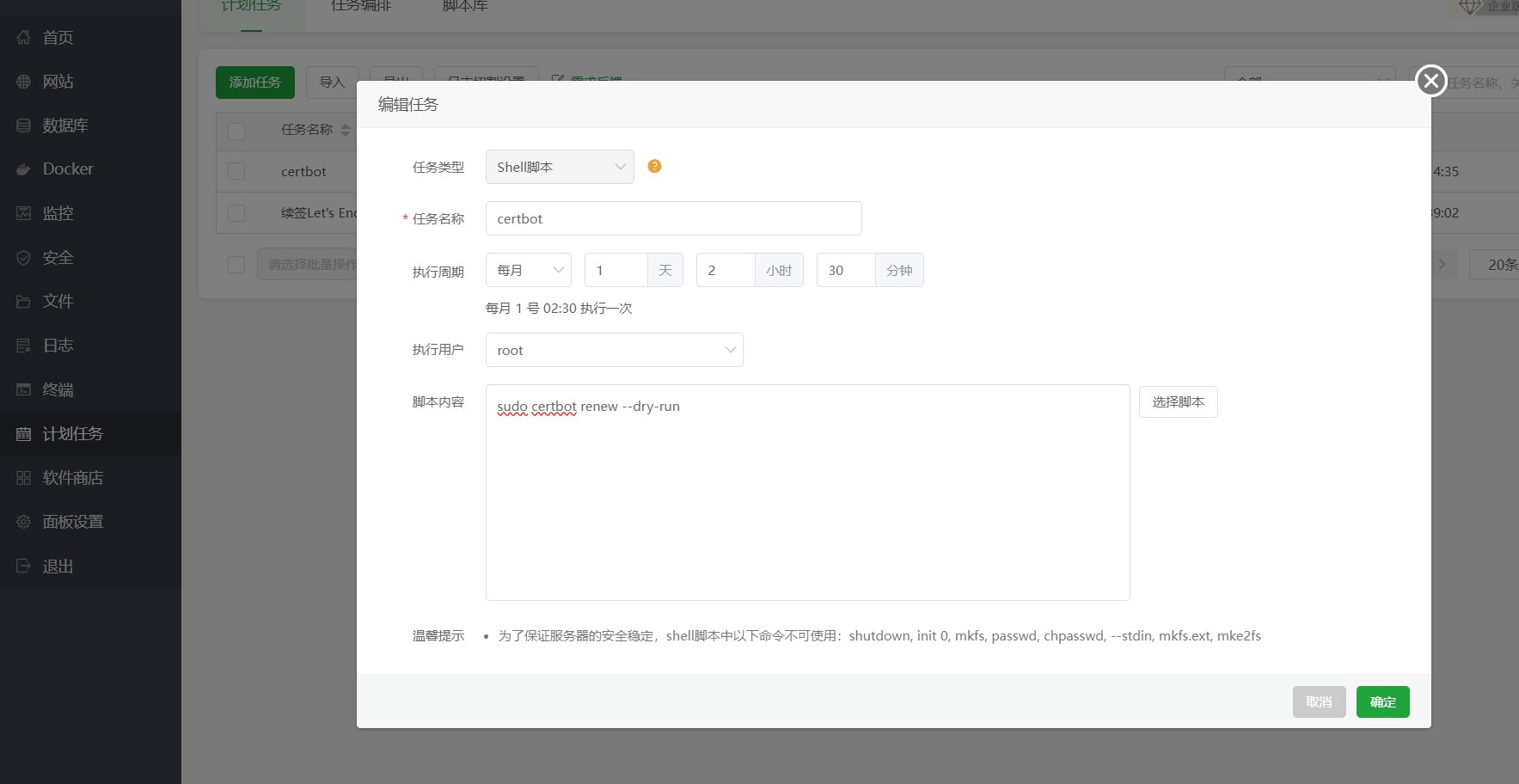
image-20250106153139114
You can give it a try, wait a few minutes for it to finish, and check the task log for any errors.