Monitoring entry
There used to be a monitoring entry at the bottom of the website where you could see the status of every technical service
It has since been removed.

It's implemented with this open-source software.

The official docs are fairly comprehensive — be sure to read them carefully.
How to monitor Docker
Choosing an installation method
The official docs offer many installation methods; the most convenient is the 🐳 Docker Compose method, which takes just three lines.
Example docker-compose template: https://github.com/louislam/uptime-kuma/blob/1.23.X/docker/docker-compose.yml
Shell
docker compose up -d
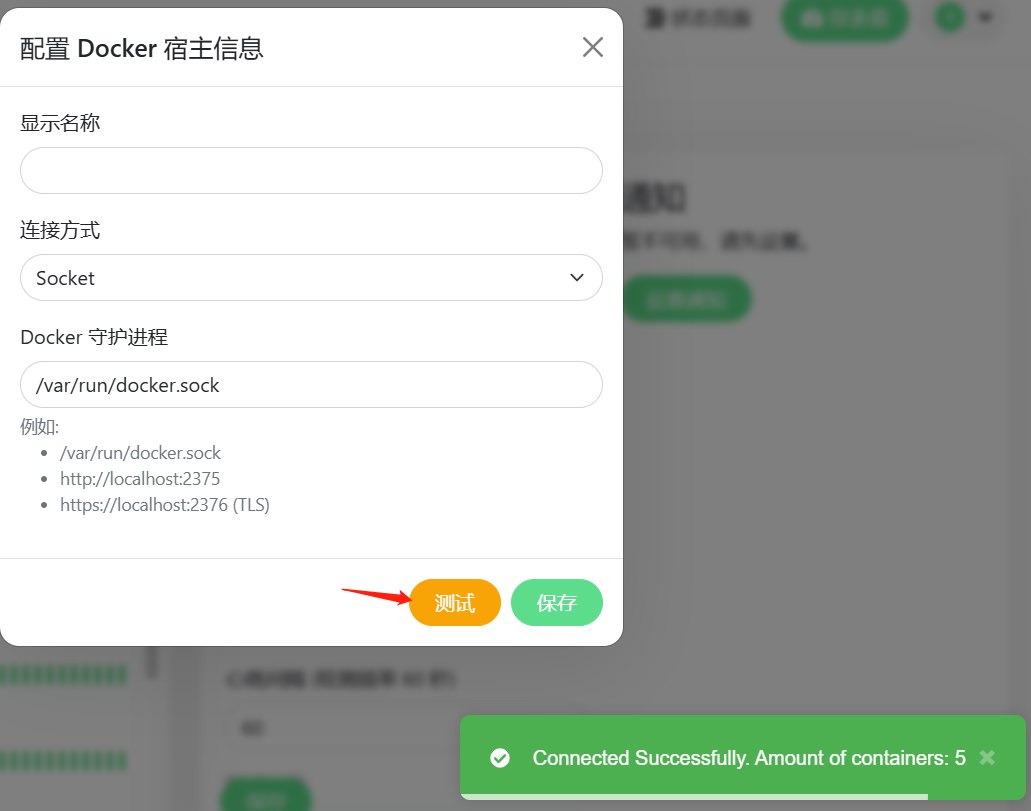
The official docs also explain how to monitor Docker.
For 🐳 Docker Compose, you just need to modify one entry in docker-compose.yml and then run the Docker install.
docker-compose:
DOCKERFILE
volumes:
   - /var/run/docker.sock:/var/run/docker.sock
Adding a Docker monitor
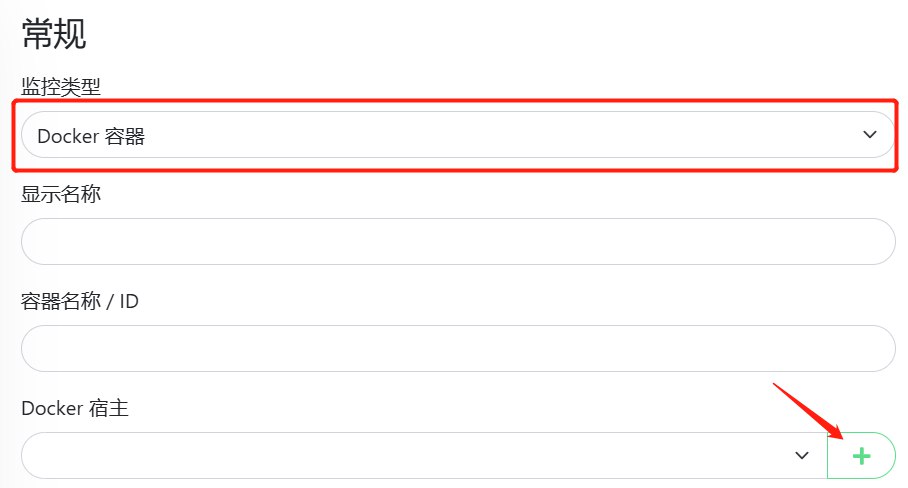
At this point, the Docker host can be monitored.